The Role of Neural Networks in Virtual Redesign: How AI Actually Stages a Room
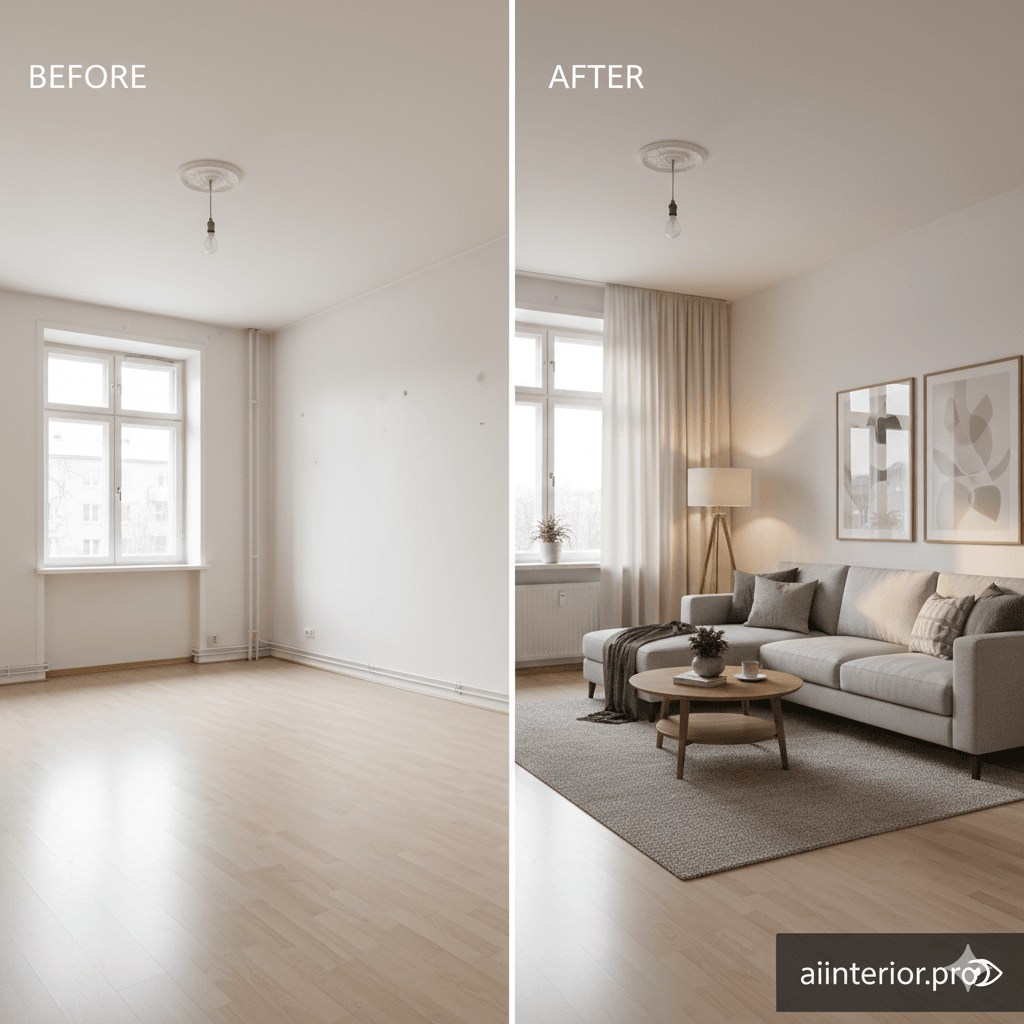
Neural networks staging is no longer some futuristic idea reserved for tech labs. It’s the engine behind today’s fastest, most realistic virtual redesign tools — including aiinterior.pro. If you’ve ever wondered how the hell AI knows where your sofa should be, or how it understands the difference between a window and a wall, this guide breaks everything down in simple, human language.
By the end, you’ll know exactly how neural networks power room transformations — and how this tech helps realtors, homeowners, stagers, and designers create stunning interiors in seconds.
What Is Neural Networks Staging?
Neural networks staging is the process of using deep learning models to analyze a room photo, understand its layout, and generate a realistic redesigned version — complete with furniture, decor, lighting, and style elements.
Unlike simple filters or graphic overlays, neural networks understand the structure of a room. They recognize walls, floors, textures, shadows, and depth. They detect clutter, identify furniture categories, and predict the correct scale of objects.
This intelligence comes from millions of labeled interior images used during model training. Over time, the neural network learns patterns like:
- What a bedroom should look like
- How furniture fits proportionally in different spaces
- What design styles match which colors
- How lighting behaves in a room
This is why modern AI staging looks so lifelike — the system isn’t guessing, it’s learning.
Why Neural Networks Matter in Virtual Redesign
Here’s the brutal truth: Virtual staging without neural networks is trash. It looks fake, flat, and unusable for real estate or design projects.
Neural networks dramatically improve:
1. Realism
They understand lighting, shadows, scale, and material properties, making the final images almost indistinguishable from real photographs.
2. Accuracy
They detect room boundaries, windows, doors, and architectural features with precision — so the AI doesn’t place a chair inside your window or a sofa halfway in the wall.
3. Style Consistency
Neural networks can apply design styles (modern, boho, minimal, luxury) while preserving the original room’s architecture.
4. Speed
AI staging done manually takes hours. Neural networks do it in 15 seconds.
5. Affordability
Traditional staging costs ₹30,000–₹60,000 per room. AI staging costs a tiny fraction of that — making it accessible to every realtor and homeowner.
How Neural Networks Power Virtual Redesign (Step-by-Step)
Let’s break down the exact workflow aiinterior.pro uses under the hood.
Step 1: Room Understanding (Computer Vision Layer)
The neural network begins by analyzing the raw photo. It identifies:
- Walls
- Floors
- Ceilings
- Windows
- Doors
- Existing furniture
- Clutter
- Lighting direction
- Room depth
This step is powered by CNNs (Convolutional Neural Networks) — the same technology behind facial recognition.
The system creates a semantic map, which is basically a labeled version of your photo where every pixel belongs to a category.
This is how AI knows:
- A chair ≠ table
- A window ≠ white wall
- Wood floor ≠ marble tile
Without this layer, redesign would be a chaotic mess.
Step 2: Removing or Keeping Furniture (Layout Interpretation)
If the user selects virtual staging, AI needs to clear the room digitally. If the user selects room redesign, the AI must keep the architecture but update the style.
Neural networks handle:
- Clutter removal
- Furniture masking
- Background reconstruction
It uses inpainting models — deep networks that recreate missing areas in a photo, pixel-by-pixel, based on context.
This is why an “empty room” generated by AI looks clean and realistic instead of blurry or patchy.
Step 3: Generating a New Interior (Style + Layout Engine)
This is the fun part.
A diffusion model creates the new staged room by following constraints:
- Style prompt
- Room type (bedroom, hall, living room)
- Furniture placement rules
- Lighting source
- Realistic perspective
Neural networks generate furniture that actually fits the space, instead of floating objects or distorted shapes.
The model considers:
- Room width and depth
- Floor texture
- Window position
- Wall height
- Color palette
This produces the kind of images that make buyers say: “Wow, this looks like an actual designer was here.”
Step 4: Blending & Realism Enhancement
A final refinement network adjusts:
- Shadow realism
- Light diffusion
- Color consistency
- Material reflection
- Noise reduction
- Sharpness
This last layer is what turns an AI output from “good” to MLS-ready professional quality.
Best Practices for Neural Network–Powered Staging
If you want the most accurate redesigns, follow these rules:
1. Provide a clean, straight photo
Avoid weird angles. Shoot at chest height.
2. Use natural lighting
AI performs best with bright but soft daylight.
3. Avoid cut-off architecture
Frame the walls properly so the AI understands the geometry.
4. Keep resolution above 1,000px
Low-res photos limit the model’s ability to detect edges.
5. Choose a clear design style
Minimal Modern Scandinavian Luxury Industrial
The more specific, the better the output.
Common Mistakes to Avoid
Here’s where most beginners screw up:
❌ Uploading grainy or dark photos ❌ Taking photos at awkward angles ❌ Mixing styles (e.g., Scandinavian + Bohemian hybrid nonsense) ❌ Using low-quality tools instead of neural-network-based engines ❌ Expecting AI to fix extremely cluttered rooms
Use AI intelligently and the results are unbeatable.
Conclusion
Neural networks staging is the backbone of modern interior redesign. It’s fast, accurate, cost-effective, and genuinely transformative for real estate, design, rental platforms, and homeowners.
If you want to experience this technology firsthand:
🚀 Transform ANY Room in 15 Seconds
Don’t imagine your dream room — generate it.
aiinterior.pro uses advanced neural networks to turn any room photo into a fully staged or redesigned space instantly.
✔ Free to start ✔ MLS-ready images ✔ No design skills needed ✔ Professional-grade output
👉 Explore AI interior design or continue with computer vision and room mapping.


